 In testing
Waterbuddies
Water reminders, streaks and group challenges with friends. Log a glass in one tap, keep your streak alive and race your friends to 2 liters.
NEWWaterbuddies is in closed testing. See the shipping log →
 Utility · Security Live
 See the hidden permissions your apps get, and fix risky settings in one tap. SentinelEye scores your phone’s security, finds spy apps and alerts you when an app quietly changes.
// what it does
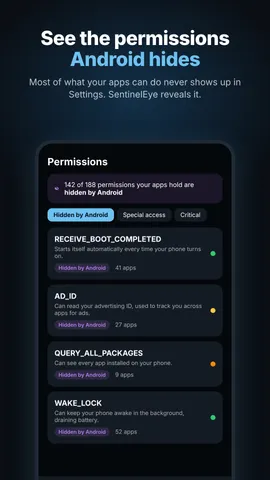
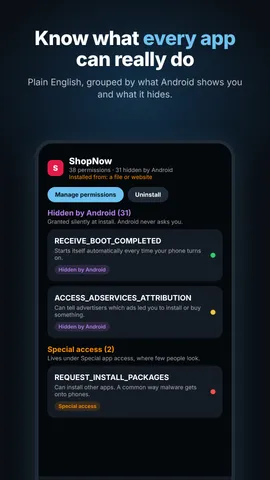
Every permission each app holds, labelled “Shown in Android settings”, “Special access” or “Hidden by Android”, and explained in plain English.
Finds apps that hide their icon but can still read your screen, your notifications or control your phone. That’s exactly how stalkerware works.
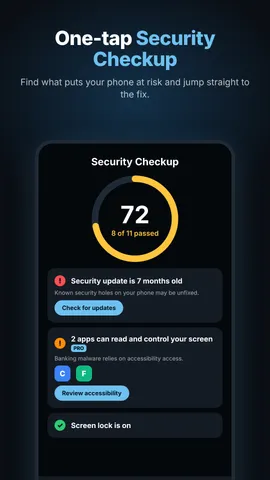
Checks your screen lock, security updates, Android version, USB debugging and root. Pro adds the advanced checkup, with the exact risky apps and a one-tap fix for each.
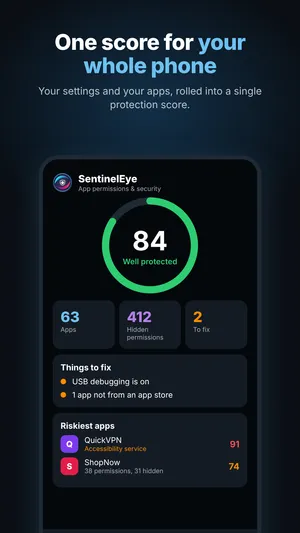
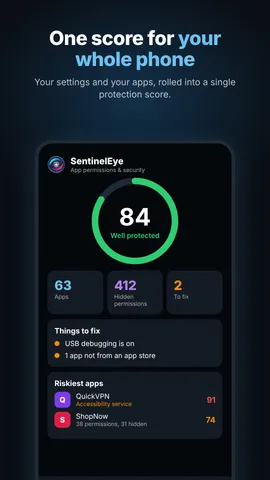
A single score for your whole phone, your riskiest apps, and a short list of things to fix.
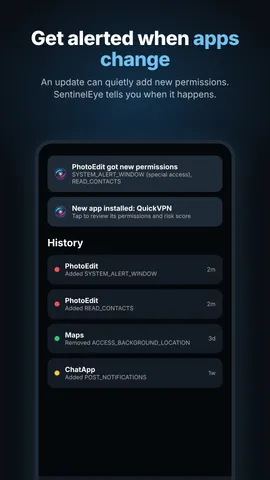
Get notified when an update adds new permissions or a new app is installed, even if you never open SentinelEye. Pro adds live protection with alerts within a minute.
Open any app’s permission settings or uninstall it right from SentinelEye. Mark apps you trust so they stop counting against your score.
// screenshots
No. Your installed apps, their permissions, your checkup results and your alert history are processed only on your device and never uploaded.
When you install an app, Android only asks about a few things, like the camera or your location. Dozens of other permissions are granted silently and never appear in Settings. SentinelEye lists them all.
Yes. Hidden permissions, the phone checks, the spy app finder and alerts are free, with ads. SentinelEye Pro is a one-time purchase, not a subscription. It unlocks the advanced checkup with one-tap fixes, live protection, no ads, and every future Pro feature.
It’s optional. With usage access, SentinelEye can spot apps you haven’t opened in months that can still use your camera, mic or location. That data stays on your phone too.
Android 8 and newer. It comes with dark and light themes.
// more from shubuz
In testingWater reminders, streaks and group challenges with friends. Log a glass in one tap, keep your streak alive and race your friends to 2 liters.
 In testing
Slide the slime, paint every hex tile and turn each level into a picture. A relaxing color puzzle with 100 levels, a daily puzzle and an album to fill.