 Live
SentinelEye
Is someone spying on your phone? SentinelEye finds hidden spy apps and shows every permission your apps really have, even the ones Android hides. Everything is checked on your phone, with no ads, no tracking and no account.
NEWWaterbuddies is in closed testing. See the shipping log →
 Productivity · Tools Coming soon
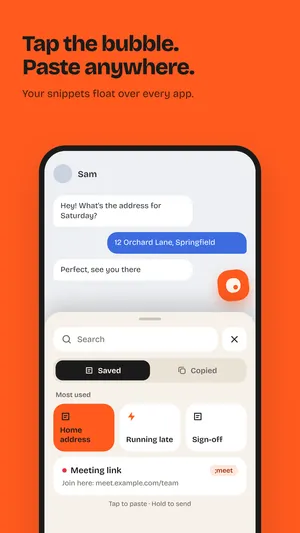
Stop typing the same things over and over. Save your address, sign-off, meeting link or any text once, then tap the floating bubble to paste it in any app. SnipTap also keeps a history of what you copy, text and images, on your phone only.
// what it does
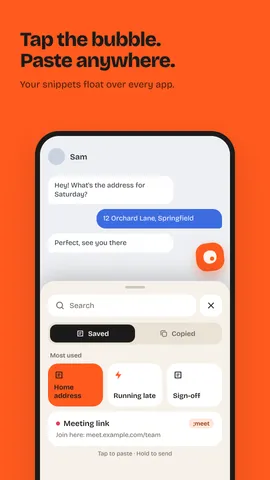
A small floating bubble sits on the edge of your screen. Tap it to see your snippets and pick one. Long-press a snippet to send it with any app. When you’re not using it, it tucks into the edge.
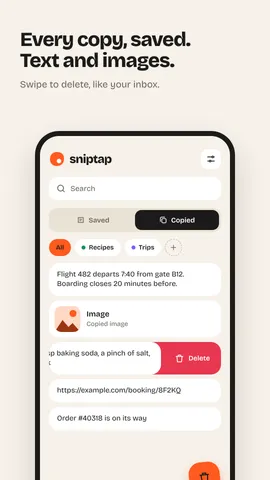
SnipTap keeps a history of what you copy, including images, so you can paste something from earlier without hunting for it again. Keep the clips you want in their own folders.
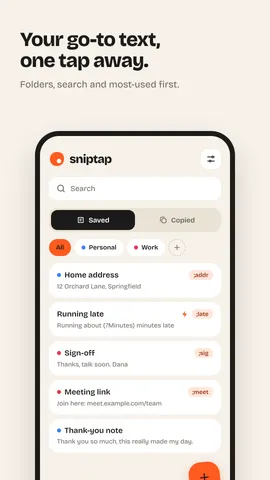
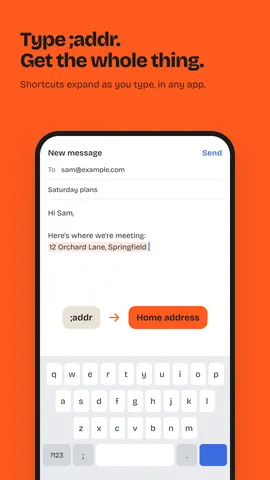
Give a snippet a shortcut like ;addr and it turns into your full address as you type, in any app. Optional, and uses Android’s Accessibility Service.
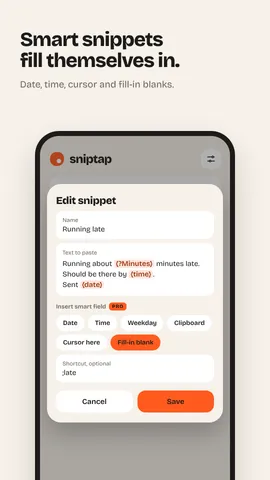
Snippets that fill themselves in: today’s date, the time, the weekday, your latest copy, where the cursor lands, and blanks that ask you for a name or number each time.
Separate folders for snippets and for copies, most used snippets first, search everything, swipe to delete or move like your inbox, and light or dark theme.
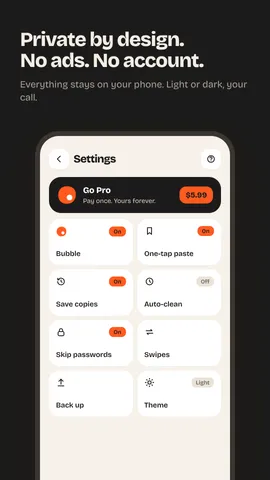
No ads and no account. Everything stays on your phone. Skip passwords is on by default, auto-clean can delete old copies, and you can back up to a file or export to a spreadsheet (CSV).
// screenshots
Yes. The free version gives you 15 snippets, 2 folders for snippets, 2 for copies and 50 copied items, with no ads. SnipTap Pro is $5.99 once, not a subscription, and unlocks unlimited snippets, folders and copy history, image snippets, smart snippets and custom swipes.
No. SnipTap has no account and no servers, and its own code never connects to the internet. Everything stays in its private storage on your phone.
Only for the optional one-tap paste and shortcuts. It reads only the text box you’re typing in, never password fields, and never stores or sends that text. Without it, tapping a snippet copies it and you paste as usual.
With Skip passwords on (the default), SnipTap tries not to save copies marked as private, like passwords. Whether a copy is marked private depends on the app you copied from, so you can also delete any copy or turn off saving copies.
Yes. Pro is tied to your Google account, so it works on every phone you sign in to with the same account.
// more from shubuz
LiveIs someone spying on your phone? SentinelEye finds hidden spy apps and shows every permission your apps really have, even the ones Android hides. Everything is checked on your phone, with no ads, no tracking and no account.
 In testing
Waterbuddies turns drinking water into a friendly game. Fill your bottle every day, keep your streak alive, and race your friends to 2 liters.
 In testing
Slide the slime, paint every hex tile and turn each level into a picture. A relaxing color puzzle with 100 levels, a daily puzzle and an album to fill.
 Live
Slime Blast is a relaxing block puzzle game with a cute twist: every line you clear feeds Blobby, your squishy slime pet. Drag colorful jelly blocks onto the 8x8 board, blast full rows and columns, and chain combos for big scores.
 In testing
Follow too many channels? SubLib turns your YouTube subscriptions into folders like Cooking, Tech or Kids. Each folder gets its own feed of new videos, so nothing gets buried again.
 In testing
That chat with your partner, your family group, your best friend since school. ThreadKeep turns a chat export into something you can actually read again, search, and save as a PDF. Everything stays on your phone.