 Live
SentinelEye
Is someone spying on your phone? SentinelEye finds hidden spy apps and shows every permission your apps really have, even the ones Android hides. Everything is checked on your phone, with no ads, no tracking and no account.
NEWWaterbuddies is in closed testing. See the shipping log →
 Productivity · Video In testing
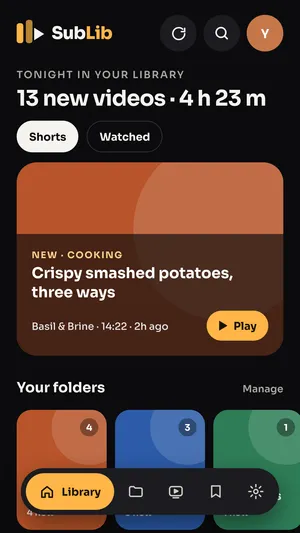
Follow too many channels? SubLib turns your YouTube subscriptions into folders like Cooking, Tech or Kids. Each folder gets its own feed of new videos, so nothing gets buried again.
// what it does
Group channels into folders like Cooking, Tech or Kids, with your own color or cover photo. A channel can be in more than one folder.
Sort your channels in one tap, using the topics YouTube already gave them.
Each folder gets its own feed of new videos, plus one library of everything new with a “play this now” pick at the top.
Videos mark themselves watched when you open them, with one-tap undo. Save for later, hide Shorts, or show only 10+ minute videos.
See subscriptions that haven’t uploaded, or that you haven’t watched, in 6 months.
Fast search across all your channels and videos, drag to reorder folders, a home screen widget, and light and dark themes.
// screenshots
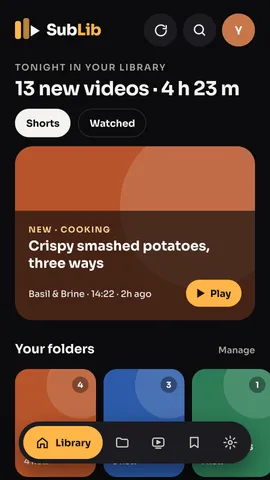
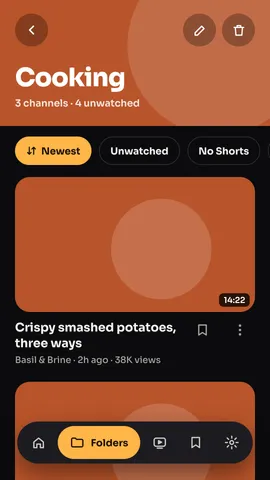
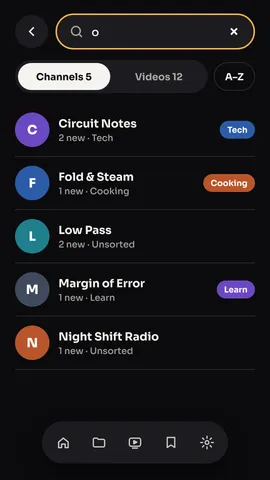
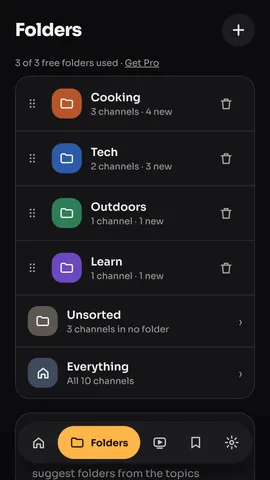
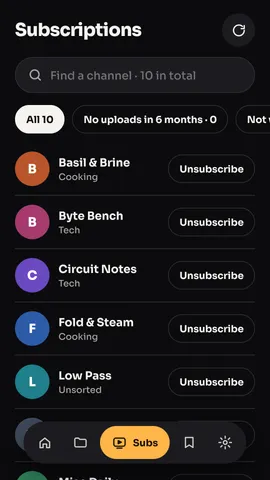
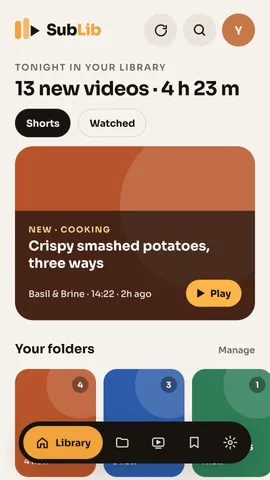
SubLib is in closed testing on Google Play. Press “Join the beta” and join our testers group on Google Groups with the Google account you use on your phone. Then accept the test on Google Play and install SubLib.
Yes. The free version gives you 3 folders and your first 50 subscriptions. SubLib Pro is one payment and unlocks unlimited folders and all your subscriptions.
No. SubLib asks for read-only access. It never posts, likes, comments or unsubscribes for you.
On your phone. There’s no SubLib account, no ads and no server of ours.
Videos open in the official YouTube app. SubLib is not affiliated with or endorsed by YouTube or Google.
// more from shubuz
LiveIs someone spying on your phone? SentinelEye finds hidden spy apps and shows every permission your apps really have, even the ones Android hides. Everything is checked on your phone, with no ads, no tracking and no account.
 In testing
Waterbuddies turns drinking water into a friendly game. Fill your bottle every day, keep your streak alive, and race your friends to 2 liters.
 In testing
Slide the slime, paint every hex tile and turn each level into a picture. A relaxing color puzzle with 100 levels, a daily puzzle and an album to fill.
 Live
Slime Blast is a relaxing block puzzle game with a cute twist: every line you clear feeds Blobby, your squishy slime pet. Drag colorful jelly blocks onto the 8x8 board, blast full rows and columns, and chain combos for big scores.
 In testing
That chat with your partner, your family group, your best friend since school. ThreadKeep turns a chat export into something you can actually read again, search, and save as a PDF. Everything stays on your phone.
 Coming soon
Stop typing the same things over and over. Save your address, sign-off, meeting link or any text once, then tap the floating bubble to paste it in any app. SnipTap also keeps a history of what you copy, text and images, on your phone only.